500 procedural levels
A curated difficulty curve from EASY to EXTREME, 12×12 up to 62×62. Every level is built from a fixed seed, so level 155 is the same maze for everyone.
Chrome & Edge extension · v1.0.0
Follow the arrows, dodge dead ends, reach the exit.
Free. One permission. No account, no ads in the game.
The Chrome Web Store listing goes live soon.
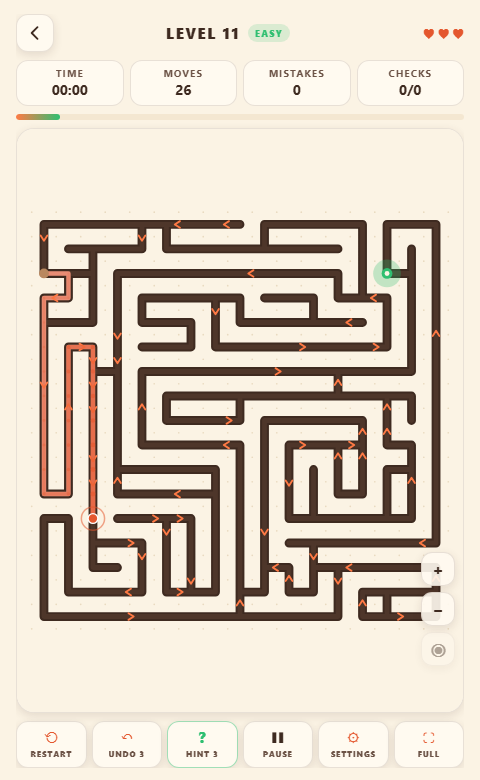
Amaze Go Arrow Puzzle is a directional maze game: hold the dot and drag it through the corridors. The arrows are one way, and drifting off the corridor sends you back to your last checkpoint. You get three hearts per level.
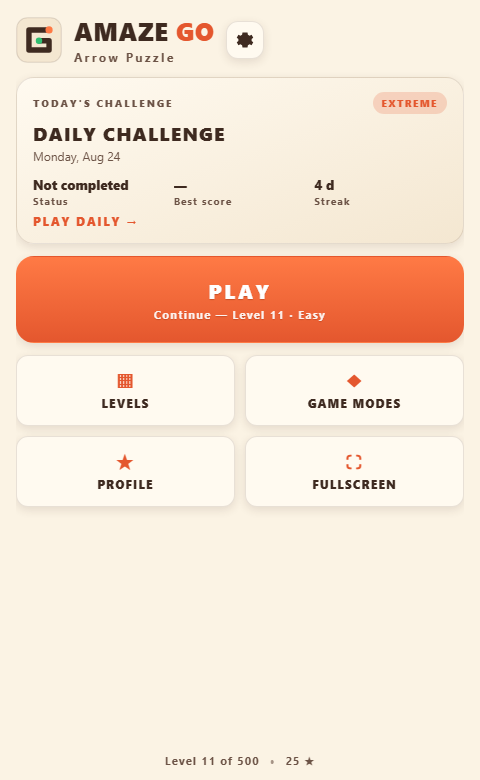
Every session starts here
One click on the toolbar icon and you are back where you stopped. The home screen keeps the daily challenge, your streak and a PLAY button that continues your current level, so a round takes seconds to start.
A curated difficulty curve from EASY to EXTREME, 12×12 up to 62×62. Every level is built from a fixed seed, so level 155 is the same maze for everyone.
One unique maze per calendar day with its own best score, best time and day streak. Miss a day and the streak resets.
Race the clock on a level you know, or take the endless ladder where every maze is harder than the last until your hearts run out.
One-way corridors turn a maze into a puzzle. Checkpoints appear from the mid levels so a mistake deep in a big maze does not undo everything.
Mazes are generated on your device and sounds are synthesised at runtime. No servers, no downloads, nothing to wait for.
The game asks only for storage, makes no network requests and contains no
analytics or advertising code.
Press the coral dot and keep holding. It stays glued to the corridor under it.
Orange chevrons are one way. Push against one and it costs you a heart.
Land on the green target to finish. Fast and flawless earns three stars.
Stuck on a level?
Press HINT in the game and it asks for a hint code. Codes live on the hint page and change every 60 seconds. Paste one in and your dot walks itself to the next junction or checkpoint — enough to get you moving again, not enough to solve the maze for you.
Example
K7F2-QMX
Seven characters, no confusable letters, valid for one minute.
Yes. Amaze Go Arrow Puzzle is free, has no in-app purchases, no subscriptions and no ads inside the game. You do not need an account.
Yes. Levels are generated on your device, so the whole game works with no internet connection. The only page that needs a connection is the hint page, and only if you choose to open it.
The extension collects nothing and sends nothing. Progress, settings and records are stored on your own device with chrome.storage.local. This website, like any website, keeps ordinary server access logs. Full details are in the Privacy Policy.
Chrome and other Chromium browsers - Edge, Brave, Opera and Vivaldi - from Chrome version 102 onwards. It is a Manifest V3 extension.
To save your progress, settings, per-level records and hint bookkeeping on your device. That is the only permission the extension requests: no tabs, no browsing history, no access to the pages you visit.
The hint page shows a 7 character code that changes every 60 seconds. Paste it into the game and one hint is unlocked: your dot walks itself to the next junction or checkpoint. Codes are checked inside the extension, so nothing about you is sent to the server. You get 3 hints per level and each code works once.
Open Settings in the game and press RESET PROGRESS, or simply uninstall the extension - that removes everything. You can also copy your save to your clipboard with EXPORT SAVE before you do.
There is no chat, no user accounts, no personal data and no advertising inside the game. The only link out is the hint page, which the player has to choose to open.
Level 1 is a 12×12 warm-up. Level 500 is a 62×62 EXTREME.